Stop updating GetYourGuide by hand
Operator Cockpit is a reservation system you can select directly inside GetYourGuide. Your availability pushes across the moment it changes, and every GetYourGuide booking lands in the same inbox as your walk-ins and your own website.
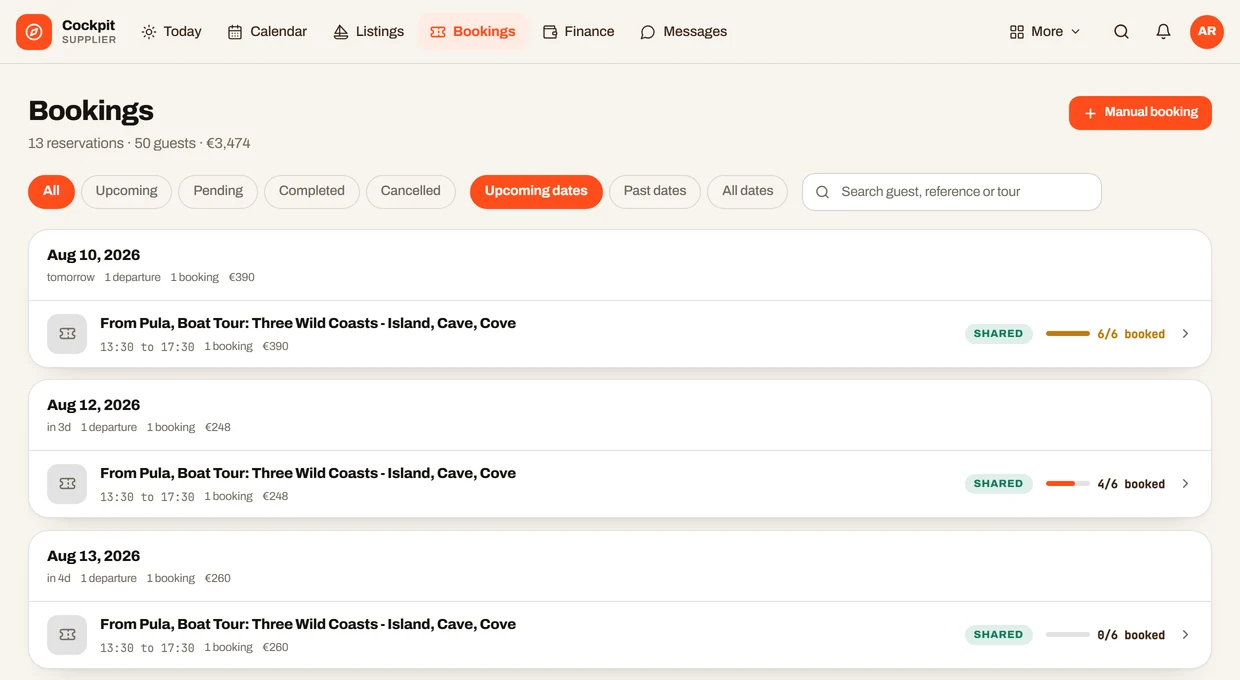
The extranet tab that never closes
Selling through GetYourGuide is not the hard part. Keeping it truthful is. Every seat you sell somewhere else has to be taken off GetYourGuide by hand, and every seat that frees up has to be put back, on a screen that has nothing to do with the rest of your day.
You are not selling in one place
Operators distribute through several resellers at once, four on average by Arival's count, plus their own site and the desk. Each one holds its own copy of your calendar, and only you know which copy is right.
Hand updates cost minutes, all season
Opening a date, closing a departure or fixing a capacity takes a few minutes per channel through an extranet. A connected system does the same write in seconds, without you being at a desk to do it.
So you hold seats back
The usual defence against a double booking is to publish less than you have, keeping a buffer on every channel. It works, and it quietly costs you the busiest departures of the year, because the buffer is largest exactly when demand is.
And the connection is fussy about detail
GetYourGuide needs at least two available time slots before it will connect a product, and a mismatched product ID or availability type stops the link cold. Their support cannot see inside your reservation system, so the diagnosis starts on your side.
Four steps, then it is automatic
No credentials to paste, no mapping table to maintain. You match one reference on each side and turn the listing on.
Build the tour once in Operator Cockpit
Schedule, capacity, price categories and cut-off. You give the option an External Product ID, which is simply your own reference for it.
Select Operator Cockpit on GetYourGuide
In the connectivity step, answer yes to using a reservation system, type Operator Cockpit, pick it from the list, and paste in that same External Product ID.
Turn the listing on
One switch per tour decides whether it sells on GetYourGuide. Nothing goes out until you flip it, and flipping it back takes it out of circulation.
Then stop thinking about it
Operator Cockpit works out remaining places from your real bookings and pushes the change to GetYourGuide as it happens. Their bookings arrive in your inbox and count against the same capacity.
Before and after
A reservation system, not just a pipe to one channel
Shared capacity across a resource
Two products on the same boat draw from one pool of seats. A booking on either side, through any channel, takes the space off both.
One inbox for every channel
GetYourGuide, your own checkout, the front desk, phone and email arrive in the same list, with the channel marked on each booking.
Availability derived, not typed
Schedules, blackout dates and cut-offs are rules. Remaining places are calculated from them and from your live bookings, so there is nothing to keep in step by hand.
Promotions pushed too
Early bird, last minute and standard discounts are sent to GetYourGuide from the same place you run the rest of your pricing.
A sync log you can read
Every availability push and every booking call is recorded with its outcome, so a question about a missing departure has an answer rather than a theory.
It runs on your phone
The same account on iOS and Android. Close tomorrow's departure from the dock, and GetYourGuide has it before you are back inside.
Start on the free plan
No commission on what you sell, on any plan. You pay for the software, not for your own success.
Prices in EUR and exclude VAT. External bookings are the ones that reach you through GetYourGuide and other connected markets. Your own direct bookings are never counted or charged. See exactly what we count, and what we never count.